

Introduction
tenon upgrade links to them.What is Tenon?
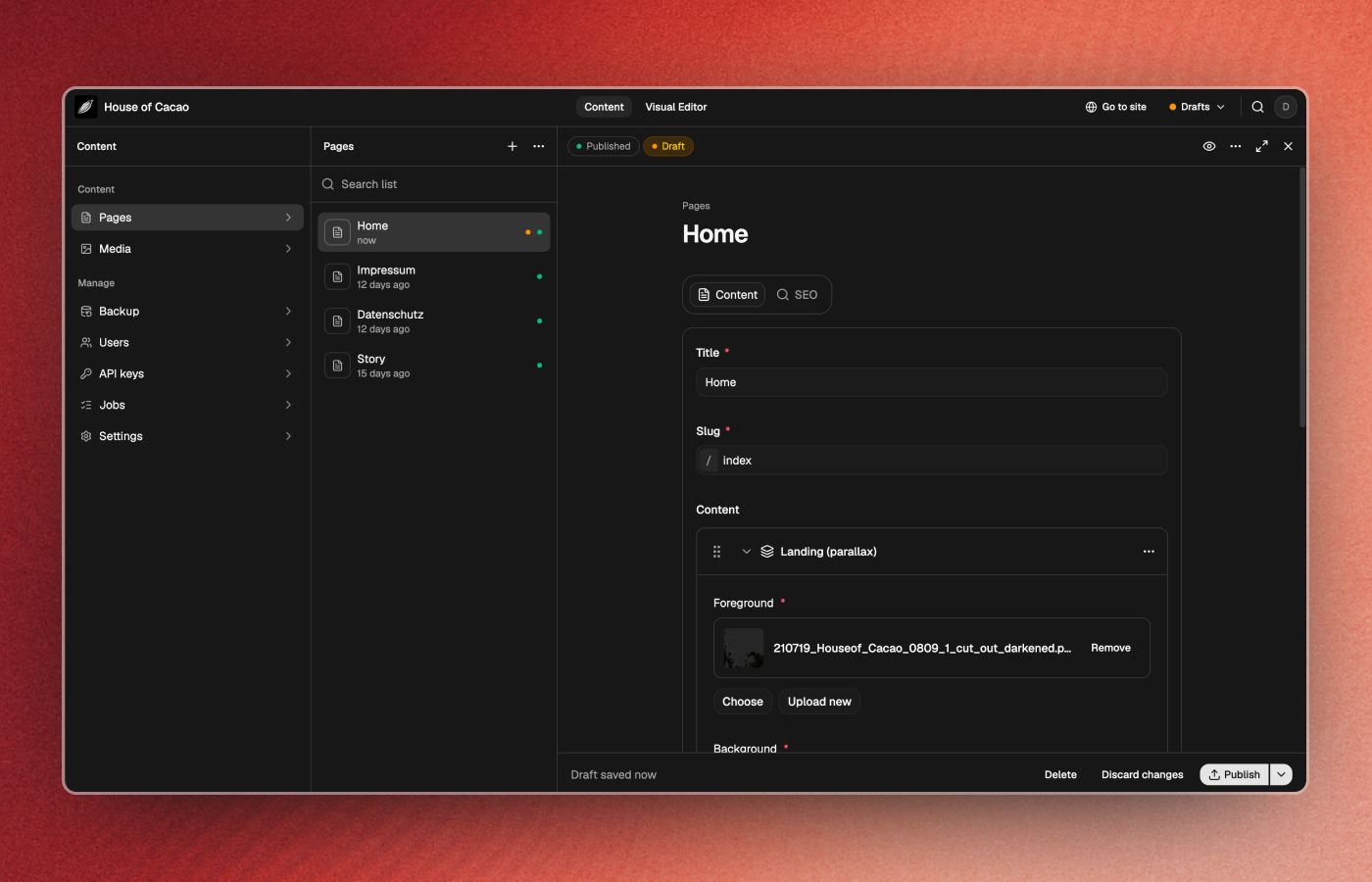
Tenon is a CMS-as-a-package you add to your app. It is made for Vite-based apps and works best there, but any server that speaks Request and Response can run it. It adds the admin and an HTTP API as routes of your app. Your server code reads content with a direct function call, without HTTP. You can extend it with your own fields, pages and plugins, or run it standalone as a headless CMS.
Web standards
Request and Response. The same code runs on Node, Vercel and Cloudflare.Local API first
cms.find() directly. No second service, no network hop, full types.Lean
Extensible
Why Tenon?
Most headless CMSs run as a second service, and your site calls them over HTTP. That works, but for small and medium sites it is often more than you need. A hosted CMS locks you and your content to a vendor. A self-hosted one is another service to deploy, secure and keep in sync.
Tenon keeps the CMS in your app. You describe your content in TypeScript:
import { defineCollection } from "tenoncms";

export const posts = defineCollection({
  titleField: "title",
  fields: {
    title: { type: "text", required: true },
    slug: { type: "slug", from: "title", unique: true },
    body: { type: "richtext" },
  },
});
The types flow into your pages. find() knows the fields of posts, so a typo in a field name fails the type check:
import cms from "./tenon.config";

const posts = await cms.find("posts", { where: { slug: "hello-world" } });
console.log(posts[0]?.title);
Works with your framework
Runs where your app runs
Tenon deploys with your app, wherever it runs:
- Node: any server or container, with SQLite, Postgres or PGlite
- Vercel: serverless functions with Turso or Postgres
- Cloudflare: Workers with a Durable Object database and R2
Key features
- Content modeling: Collections, fields, relations, blocks and media, all defined in TypeScript
- Typed local API: Read content from server code with a direct function call
- HTTP API: An HTTP API with a typed browser client
- Localization: Content in several languages, with fallbacks
- Pages and SEO: Nested pages, SEO tags and a sitemap
- Live preview: Editors see drafts on the real page
- Users and access: Password, passkey or email sign-in, with roles and access rules
- Customization: Add your own fields, admin pages and plugins
- Operations: Email, background jobs, webhooks and backups
Built with
- Vite
- Hono
- Kysely
- Better Auth
- Zod
- Tiptap
- Vue, Reka UI and Tailwind CSS for the admin
Limits and status
- Tenon needs a server runtime. The admin and the API are server routes, so a purely static host cannot run them. Pages can still be prerendered or you use Tenon as a standalone headless CMS.
- Tenon is built for and with Vite. Nonetheless it should be possible to integrate it with other frameworks. With a Vite-based framework, the integration serves the admin, runs background jobs and loads your custom admin code. Without Vite, you route the API, mount the admin and run jobs yourself. Currently untested though.